
Reference · CNC toolpaths and machine code
3D Milling on Digital Cutters with Grasshopper
With LARGER.slicer, our Grasshopper toolkit, a Zünd digital cutter mills continuous 3D surfaces. Grasshopper calculates the toolpath and exports it as an HPGL/PLT file that the Zünd runs directly. We tested the workflow on the Zünd G3 L-2500 in the model workshop of the Münster School of Architecture, FH Münster.
Machine
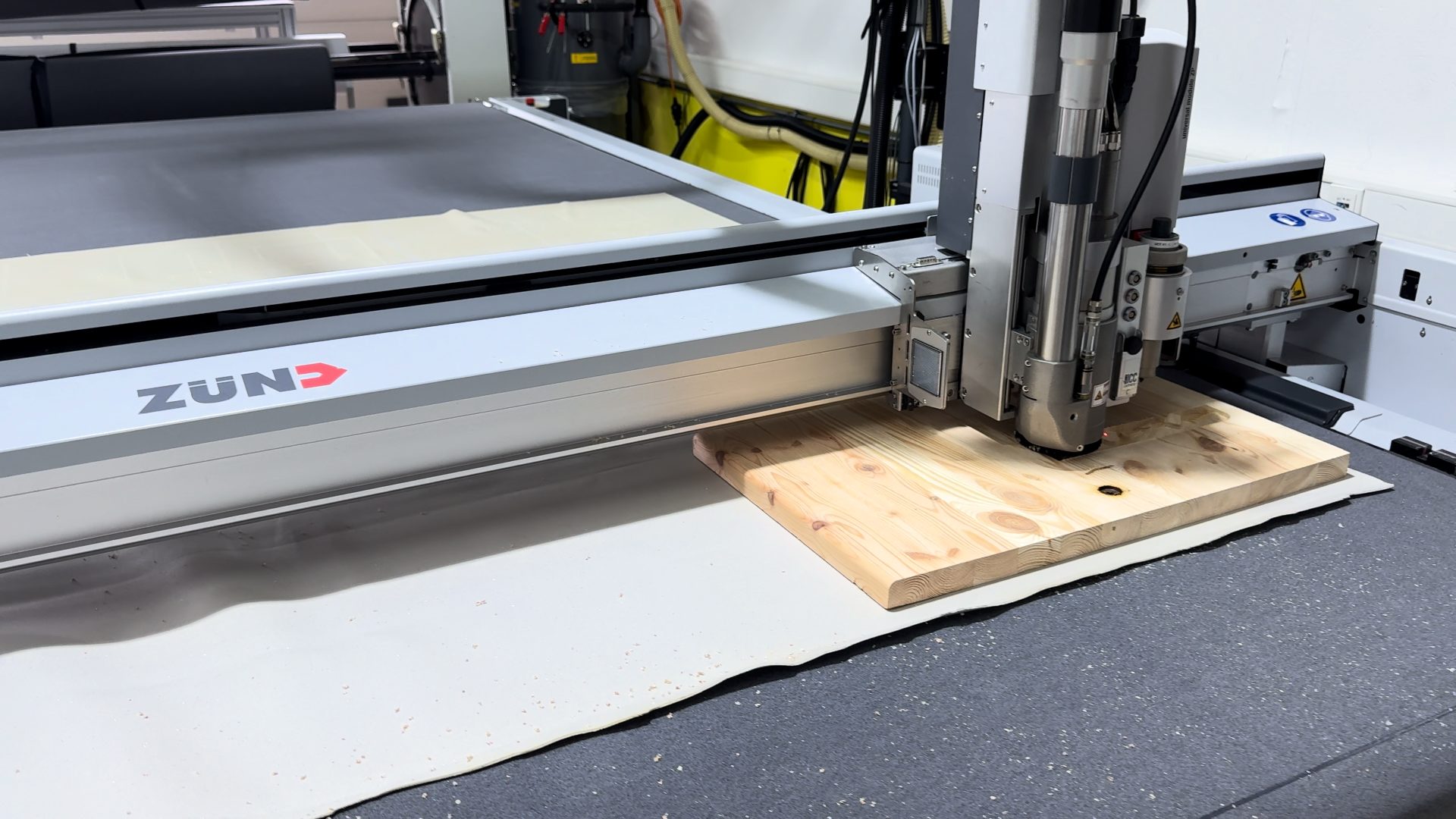
Zünd G3 L-2500 in the model workshop of the MSA, FH Münster
Setup
Working area 1800 × 2500 mm · routing module RM-A, 1 kW
Our part
LARGER.slicer: 3D toolpaths and HPGL/PLT export
Tools
Rhino, Grasshopper, Zünd Cut Center
Freeform surfaces instead of flat cuts.
Zünd digital cutters are built for cutting and 2D routing. Continuous 3D surfaces, where the router moves in X, Y and Z at the same time, are not part of the standard workflow.
With LARGER.slicer they are. The plugin generates 3D milling toolpaths in Grasshopper and writes them as an HPGL/PLT file. Many shopfitters and interior workshops already own a Zünd. This lets the same machine mill reliefs and textured surfaces.
01
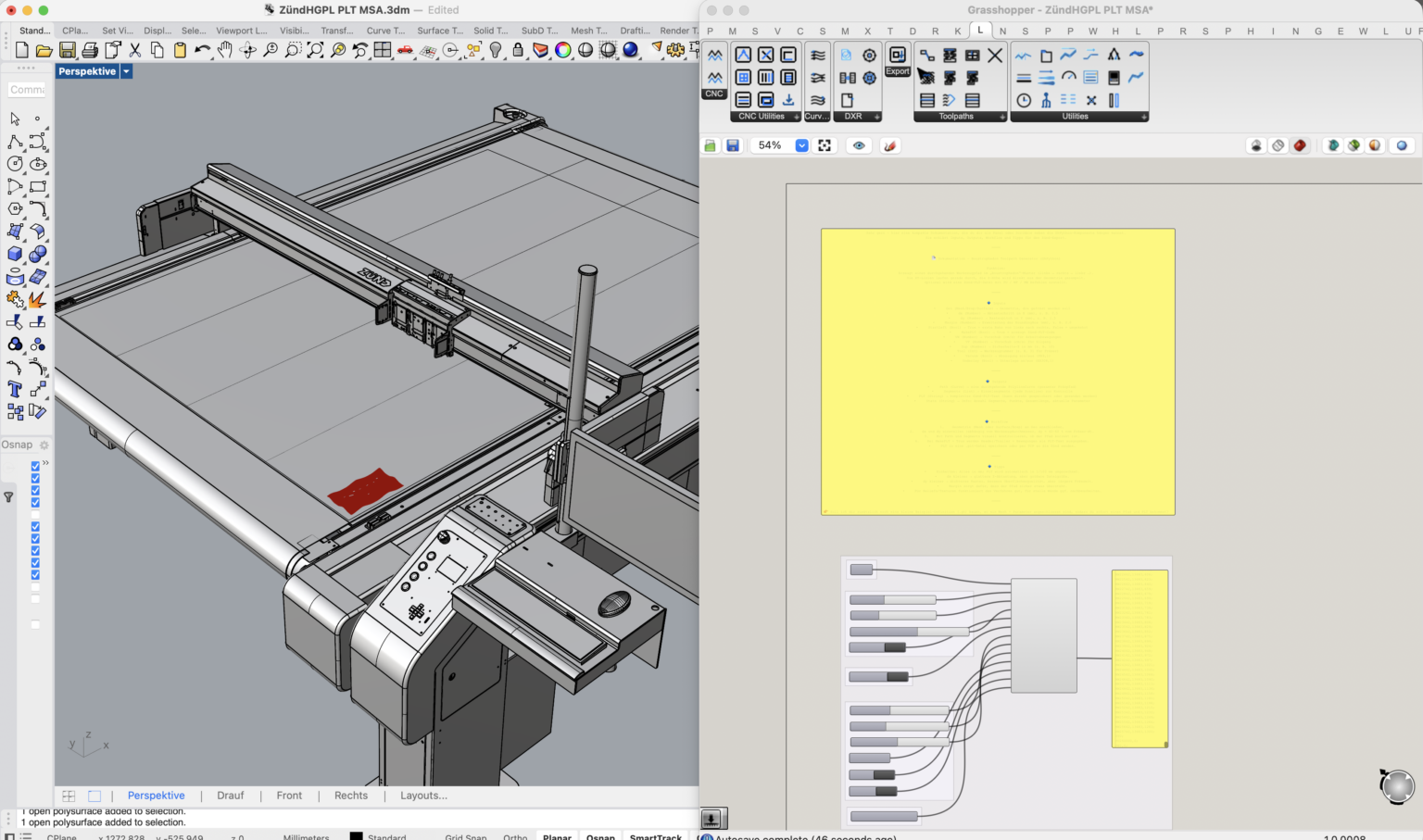
The machine as a model
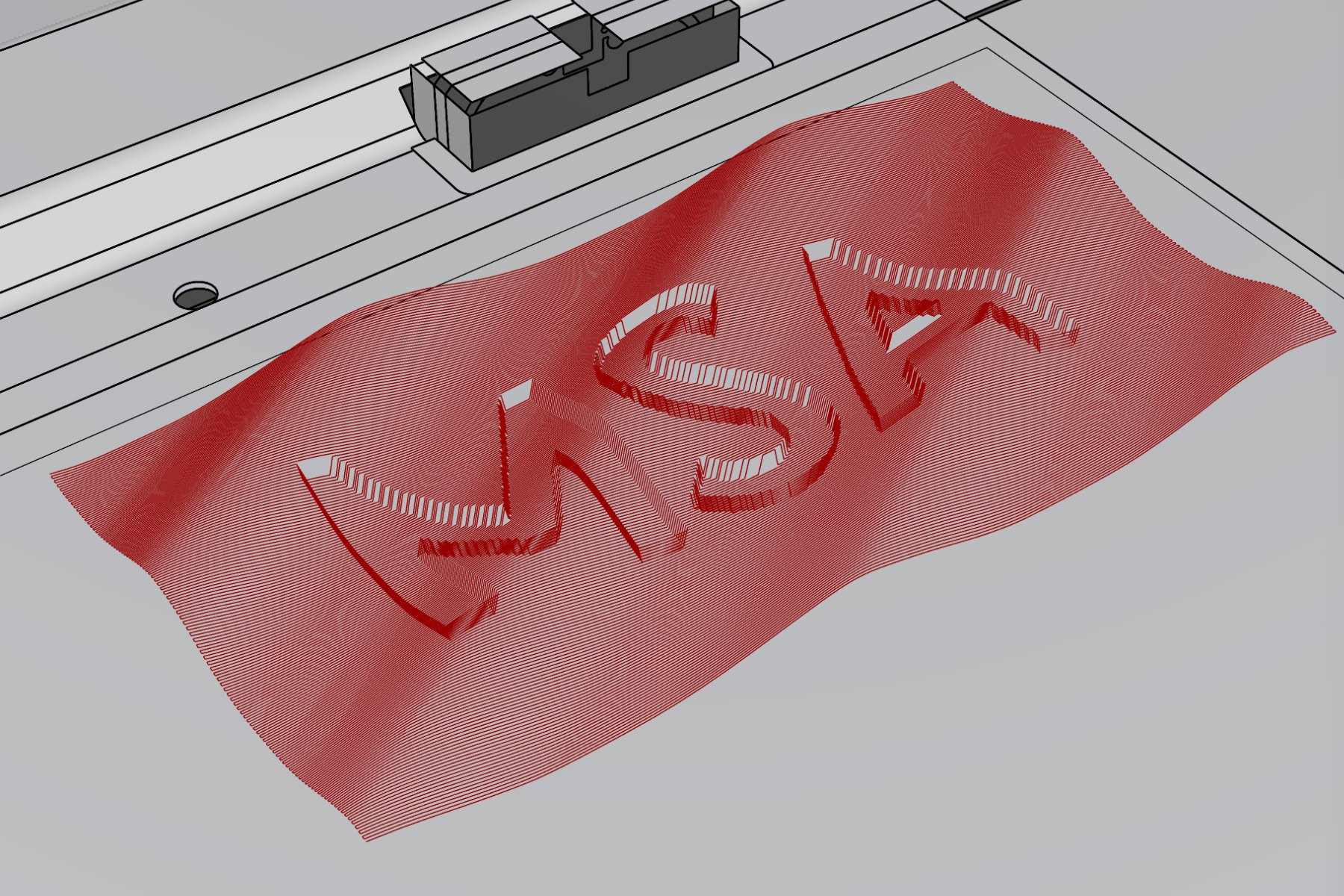
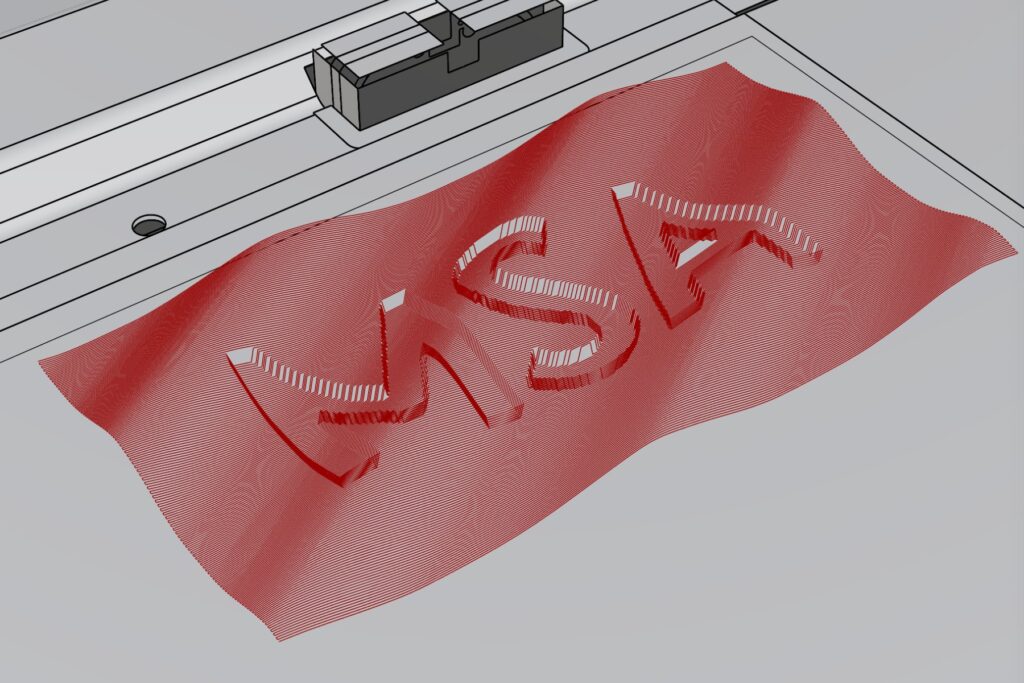
The Zünd G3 L-2500 is modelled in Rhino, next to the Grasshopper definition. You reference the 3D geometry and check that it fits the working area of 1800 × 2500 mm.
02
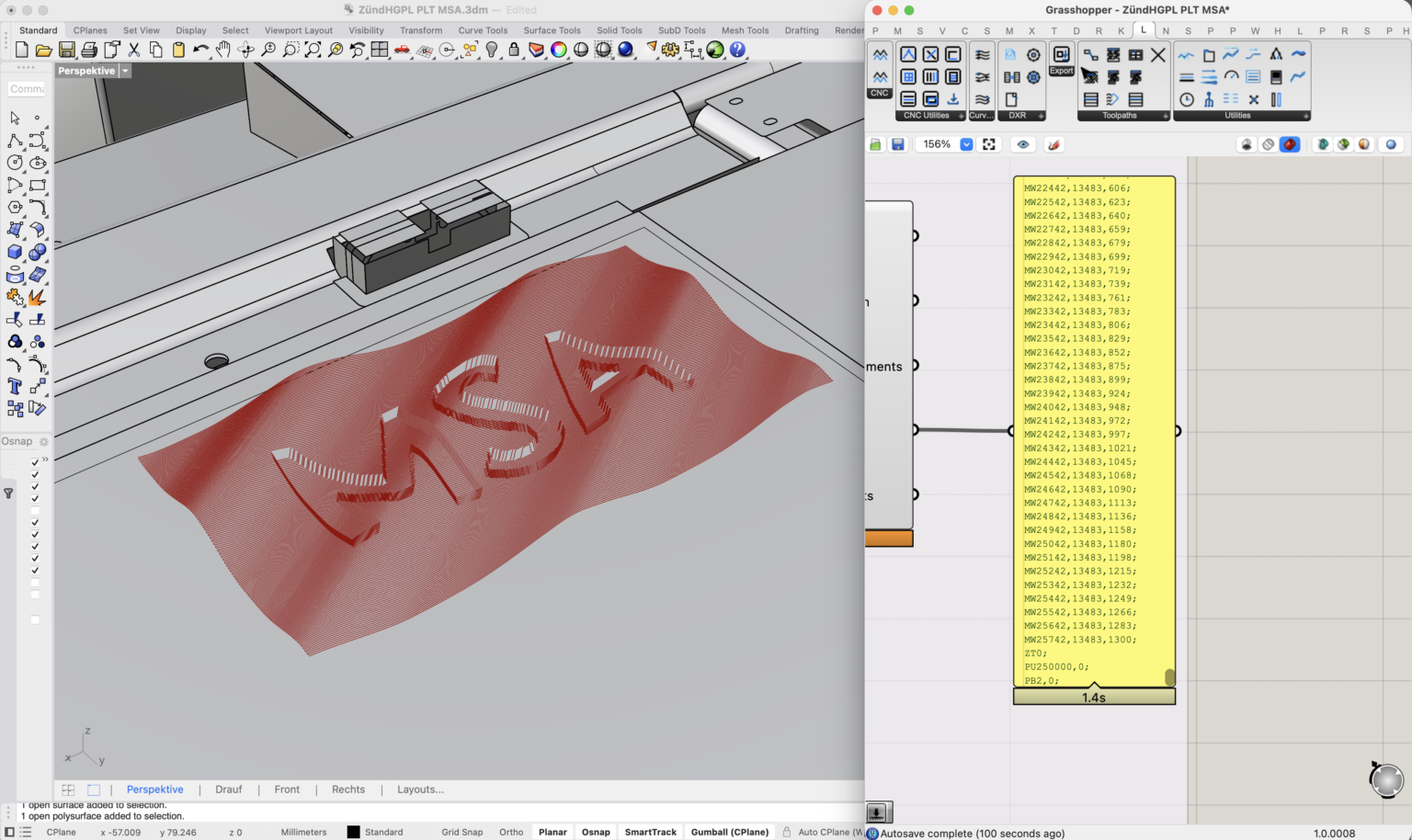
One component, one continuous toolpath
The CNC Program component takes a Brep or a mesh from Rhino. It calculates a zigzag toolpath (boustrophedon) across the surface.
Every point of the path carries its own Z height. The router follows the freeform surface instead of milling in flat steps. Material thickness, pass depth, stepover, tool and spindle speed are set as inputs.
03
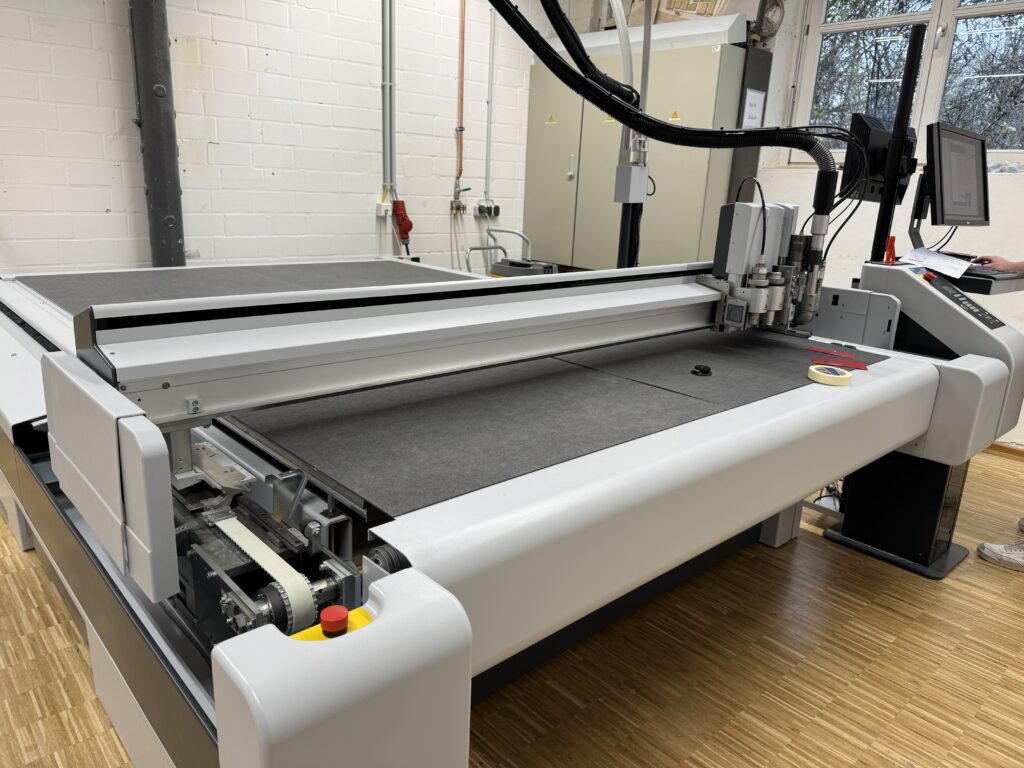
A file the cutter runs directly
The exported PLT file already contains everything the machine needs: tool selection, spindle speed, vacuum control, Z positioning, extraction height and underlay compensation.
In Zünd Cut Center you load the file, fix the material with vacuum, calibrate the tool height and start the job.
04
Milling in X, Y and Z at once
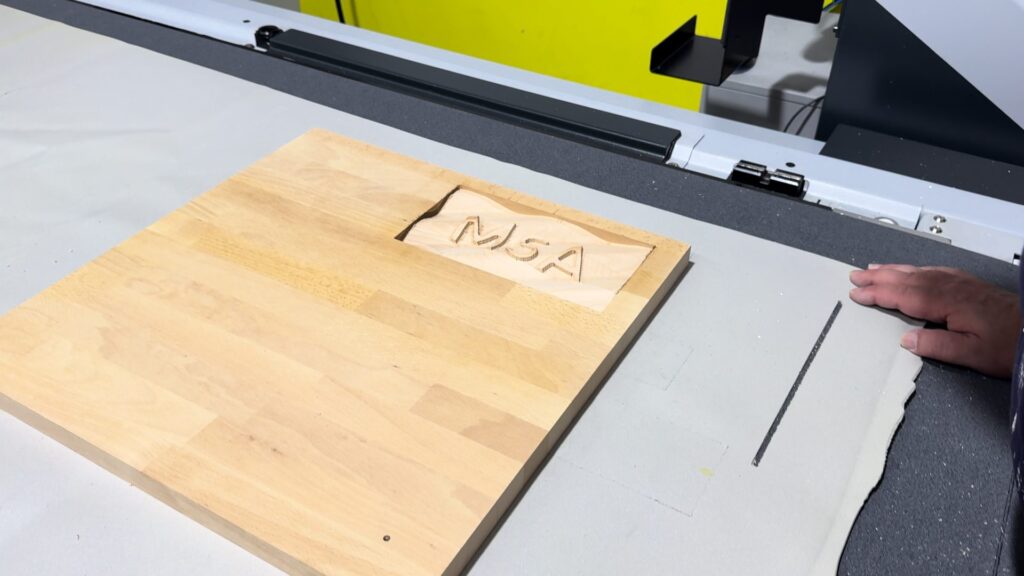
The router follows the freeform surface in all three axes at the same time. The result is a smooth relief instead of flat steps.
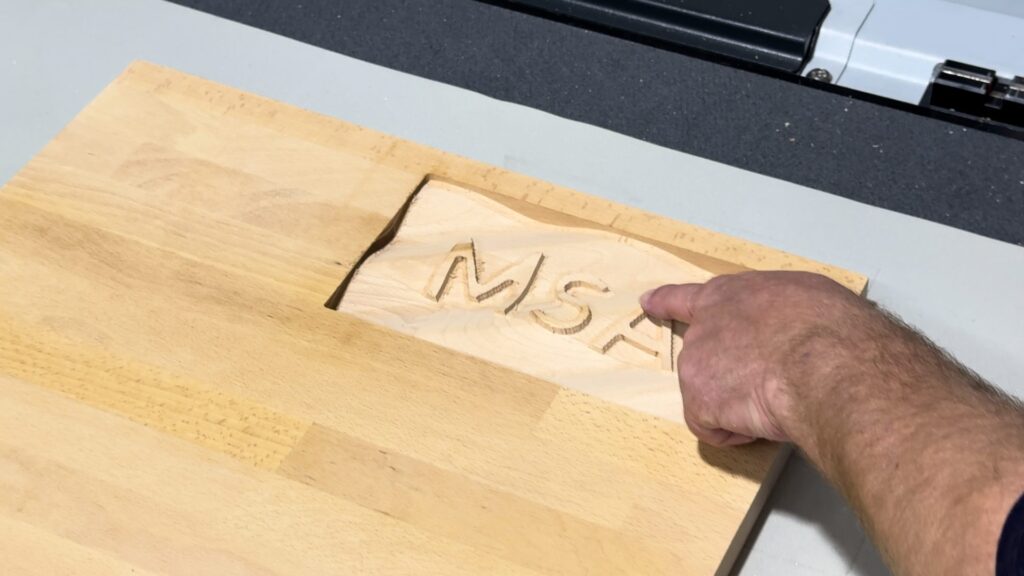
The test piece: the MSA lettering, set into a curved surface.
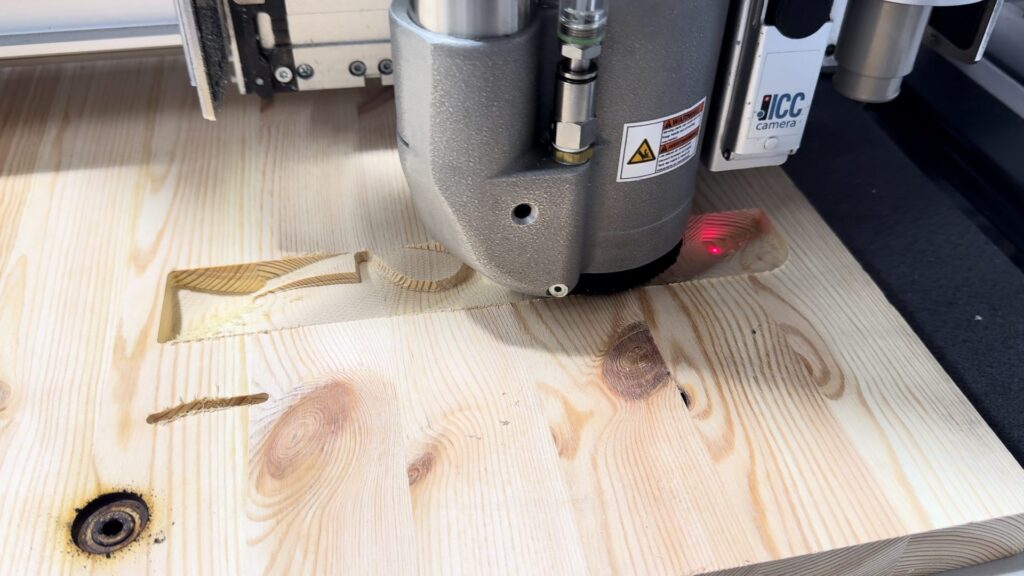
Tested on a production cutter
The workflow was developed and tested at the Münster School of Architecture (MSA). A Grasshopper template and a quick start guide are included in the LARGER.slicer download.
- Working area1800 × 2500 mm
- Max. milling height50 mm, limited by the gantry clearance
- Routing moduleRM-A with 1 kW spindle
- Tool changeAutomatic router bit changer
- InputHPGL/PLT file from LARGER.slicer
Workflow in five steps
01Reference
Reference the 3D geometry in Grasshopper and check that it fits the working area.
02Set up
Set material thickness, pass depth, stepover, tool and spindle speed.
03Generate
Generate the toolpath with the CNC Program component and check it in the Rhino viewport.
04Export
Export the HPGL/PLT file.
05Mill
Load the file in Zünd Cut Center, fix the material with vacuum, calibrate the tool height and start.
Video · MSA, FH Münster
The cutter milling a relief
What it is for
Reliefs, textured panels, mould and prototype surfaces: anything that needs a smooth 3D surface rather than a flat cut.
Using a digital cutter in your workshop?
Many shopfitters and interior workshops already have a Zünd cutter. We adapt the workflow to your machine, tools and materials, so you can use it for 3D surfaces as well.